Thu Oct 22
October 22, 2026
This is the Bronco dev log for Thursday, October 22, 2026! It's time to huddle. 🐴 This is written by Robert Austin.
1. Skill-based Context Management

Bronco has 'tools' which it uses on your behalf. It has 60 today and that's too many for Bronco. That's because the tools have to be explained to Bronco's Large Language Model (LLM) and the more instructions it gets, the more difficulty it has in focusing and making decisions.
Originally I worked around this issue by organizing Bronco's tools into discrete agents. Unfortunately this works extremely well when you design the agents for a specific problem but otherwise each agent will likely have too little context to understand its role or the overall progress of work and decision-making ends up being a coordinated effort. The LLM itself is maybe the correct layer in the stack to fix that problem.
Today I introduced a new 'skill' based design for tool discovery. Now Bronco has a set of active 'skills' at any time. Each skill is a file listing a set of instructions and the tools required to perform the task. Each Bronco session receives instructions for any tools it needs to complete its tasks.
Bronco sessions now start off with only the tools required to find and use skills and to organize todo-lists. Bronco starts by considering the user's request and then searches for instructions on how to solve the request. Skills vary in how specific and general they are and the agent can use several at once. Basic skills help the agent browse the Web while advanced skills help the agent perform domain-specific tasks like helping with groceries, photo editing, or spreadsheets.
Skill search uses the knowledge-base, a semantic-lexical-hybrid search engine, which allows Bronco to search for skills by meaning or content. Bronco is nudged to find new skills after each user message. Once the basic version of this is working, I intend to streamline and optimize the approach by reducing LLM turns required to get fresh skills.
2. Project Re-do

Projects start as folders on your computer. But once you tell Bronco about one, it becomes searchable, and Bronco can read and work on the files with you.
To search your files, create a new project in Bronco. Bronco will immediately begin reading your files.
3. Bronco reads your files in the background

I was giving a friend a demo of Bronco the other day and it just wouldn't work. Nothing I typed got any replies. Finally at the end of the call I looked back and Bronco had answered. Annoyed I looked into the issue right away and found that Bronco was prioritizing work on reading the users files in the background over replying directly. Going forward, Bronco will always reply to you before reading files in the background.
4. Optical Character Recognition

Bronco can analyze images. And it can read the text from an image. It can read the serial number off of a product in an image, for example. But if you were to ask Bronco to convert a stack of scanned handwritten journals into a text document, it would struggle. It would have to, essentially, read and then transcribe. Bronco isn't an expert at knowing what to do in complex document processing so it would struggle knowing how to treat lines and text that wrap, are ordered unusually, have aside-figures, or any number of other complex page layouts. But an OCR (Optical Character Recognition) model can help. By adding a new special model, Bronco will be able perform better and much faster and with less energy when processing images containing scanned documents.
Today I have added support for an OCR model to Bronco and have begun initial tests. In the near future I hope to support automatically applying OCR to PDFs when they contain text embedded into images.
5. Fixture joins the Map
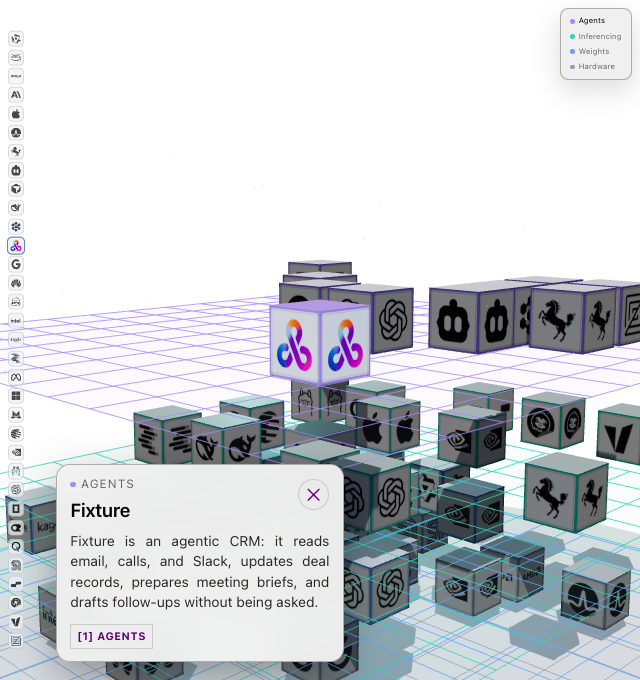
I added  Fixture to the industry map. It's an agentic CRM: it reads email, calls, and Slack, updates deal records, prepares meeting briefs, and drafts follow-ups without being asked. It sits in the Agents layer with the other agent tools. See the map post.