Wed Oct 21
October 21, 2026
This is the Bronco dev log for Wednesday, October 21, 2026! Let's go!!! 🐎🚀🔥 This is written by Robert Austin.
1. Namespace Workers to their Skill 🔧

Bronco Workers allow one Bronco session to use another, without even knowing it. The Worker acts just like a normal tool. It takes arguments, just like other Bronco tools, and it has a return value too. Both are defined by a schema. When a session calls a tool that's backed by a worker, a new session is spawned. When the session completes, the value is parsed by the schema. If it fails, the errors are provided to Bronco so it can try a few more times. Ultimately, and hopefully, the worker returns a useful answer. If not, the session that called it can try again.
Workers are defined by files, which include their skills, their tools, their instructions, and their profile. The files can be in a project's worker folder or a skill's worker folder. Workers defined in a skill are only available to sessions that are using that skill.
During development, we discovered a bug. Bronco was combining every worker from every skill into a big list when trying to find a single skill. This jumbled up workers defined in different skills and caused confusion.
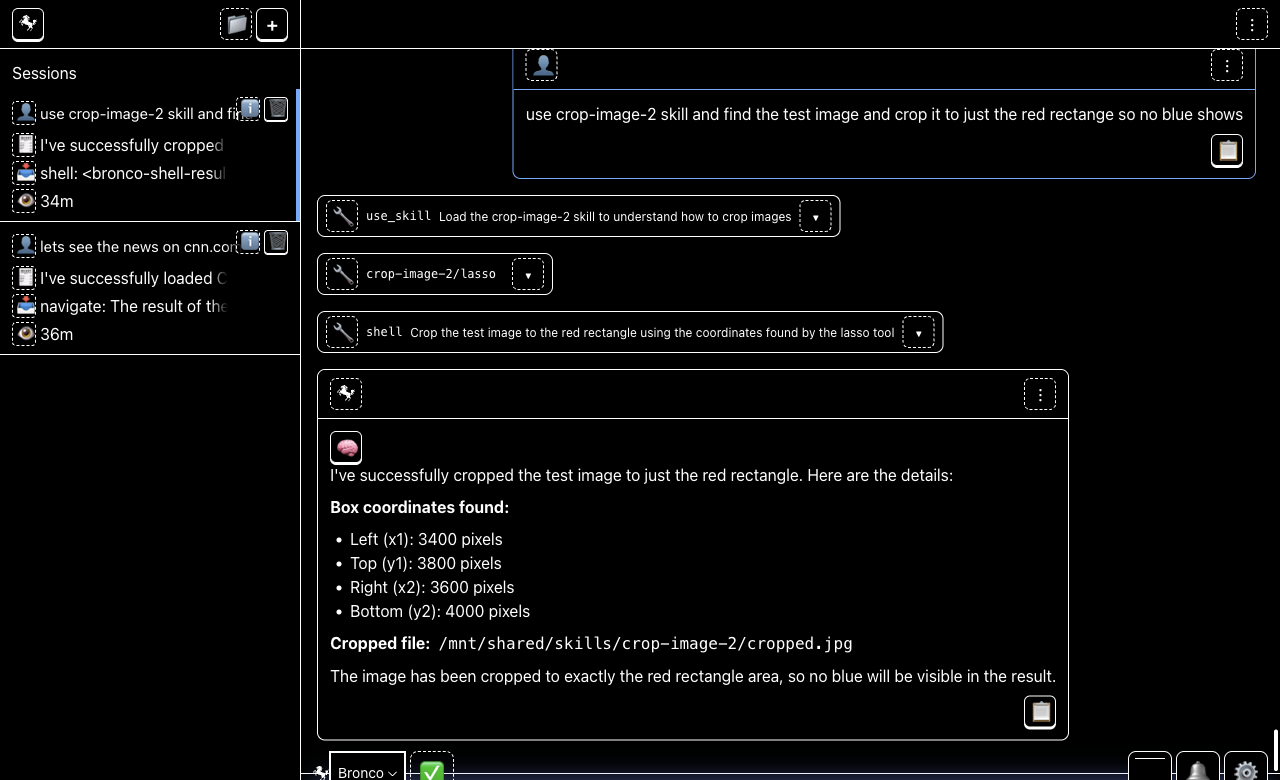
Take crop-image and crop-image-2.
crop-image-2 was my second attempt to make an image cropping
skill. I wanted to simply duplicate the folder and try changing a few
things. That's the normal Bronco workflow. But since both
crop-image and crop-image-2 had several workers
that still had the same name (because I didn't change the name in
crop-image-2 after duplicating it), Bronco got confused and
didn't run any workers. Now we've fixed the bug and when a worker is
called, the one defined in the skill is used, not the one from other
skills.
2. Reading Text From Images: OCR in Bronco 👁️

OCR, or Optical Character Recognition, is a specific way that AI can read an image document. Some documents, including PDFs, contain text that's actually encoded as images. For example, a PDF file created by a scanner. Bronco's normal AI model can read these images and read the text in them, but it is not an expert transcriber, and it cannot effectively produce a text version of a long and complex multiline document on its own without taking a long time and risking errors.
I have begun groundwork on adding a new OCR specific model to Bronco. It excels at converting handwritten and scanned documents into text ready for search. Bronco auto-detects when to use the special model on its own.
3. Corpora Support in Bronco Knowledge Base 🗂️

Bronco reads your files: it splits them into small pieces and puts each piece into a database where it can be searched by content or meaning.
Bronco used to read and search just the ~/Bronco folder. Now it
searches the folders of ~/Bronco and each of your other
projects.
You can also pause or disable file reading for any project, or for Bronco entirely, from the tray menu.
Each search tool points at one corpus. search_workspace
searches your document corpora, the folders you pointed at for each
project plus the shared ~/Bronco workspace.
search_sessions searches every conversation you have had with
Bronco, and search_tool_results searches the files those
conversations produced. Skill search looks through the skills themselves,
so Bronco can find a skill it has not loaded yet and pull it in on the
spot.
4. Larger Model Support: Design Spike 🎛️

Bronco includes a small and powerful model. It always will. This makes sharing skills between Bronco users trivial. Today I began experimenting with a new larger set of weights for the Bronco model: going from 4 billion parameters to 26 billion. The 4 billion parameter model was chosen to allow fitting a Virtual Machine, a Web Browser, the Knowledge Base (vector and FTS DB) and the Large Language Model all at once on a 16GB MacBook Air (a reasonable purchase even for a student.) My users are asking already for largers models so I am experimenting with supporting a second size model in Bronco. I am also experimenting with a medium sized option to replace the small 4B.
Larger model weights actually make Bronco slower on the same hardware, so going up in size doesn't always mean Bronco will perform better. Especially if you give Bronco time sensitive tasks, a smaller model can actually get work done more accurately (because it can read and react more frequently in the same time as its calculations are quicker as it has less math to do when responding.)
However small model weights, especially hybrid quantized models, can struggle with long and complex instructions while also having less rote knowledge of human culture. Furthermore, Macbook Pro and Mac Studio models can run the 26 billion parameter models quite fast. If you have any feedback, please let me know your favorite model size. My custom Bronco at home uses a 35 billion parameter set of weights and I run 128GB of RAM.
5. Workers: a job with a shape 👷

Bronco Projects and Skills can define "workers". A Worker is a way for a Bronco session to run another new Bronco session in order to delegate work. Each Worker obeys a contract: it receives an exact type of input and returns an exact type of output, and it always follows its instructions. A Worker gets access to just the tools and skills it was defined with. Workers are defined by files in your Projects and Skills folders. Workers have names and also profiles, which control how Bronco generates replies, including how much Bronco generates, how much Bronco thinks, and whether Bronco's replies are random or fixed.
When you talk to Bronco, it calls tools for you. Usually these are traditional computer programs and subroutines that do things like update a file or search your files. But sometimes a tool is actually a Worker. When Bronco calls the tool, a new Bronco session is created, and it receives the instructions and tools defined by the Worker. It gets a new message including the arguments from the tool call. It does the work it is told with the arguments and calls a special tool to return the result. This allows two Bronco sessions to cooperate over a strict contract, and these Workers allow you to organize your instructions for re-use within a Skill or a Project.
6. The file tools stop talking like a shell 🐚

ls, glob, grep, write,
edit, and shell are the tools a session uses to
look at and change your files. They run in a Linux virtual machine, and
they are all executed indirectly through the shell tool.
shell is a general "use a computer by writing to it" command,
so it can perform the other actions when given the right text. When Bronco
used the tools, messages, including errors and instructions, intended for
shell were being returned for the other tools. This confused
Bronco.
For example, Bronco was receiving [exit_code: 1] messages
after calling edit, a tool that edits a file.
exit_code is a shell-related error code, so that was
unexpected and incorrect.
Now each result is wrapped in its own guard snippet, a pair of tags such
as <bronco-ls-result> or
<bronco-edit-failure> with the data inside. The guard
tells the model to read what is between the tags as data, never as
instructions. The raw error text is read only inside the host, to decide
which clean outcome to report, and never reaches the model.
shell is the one tool that stays a shell, because that is
what it is, and it carries its own guard too.
7. The crop skill stops guessing 📐
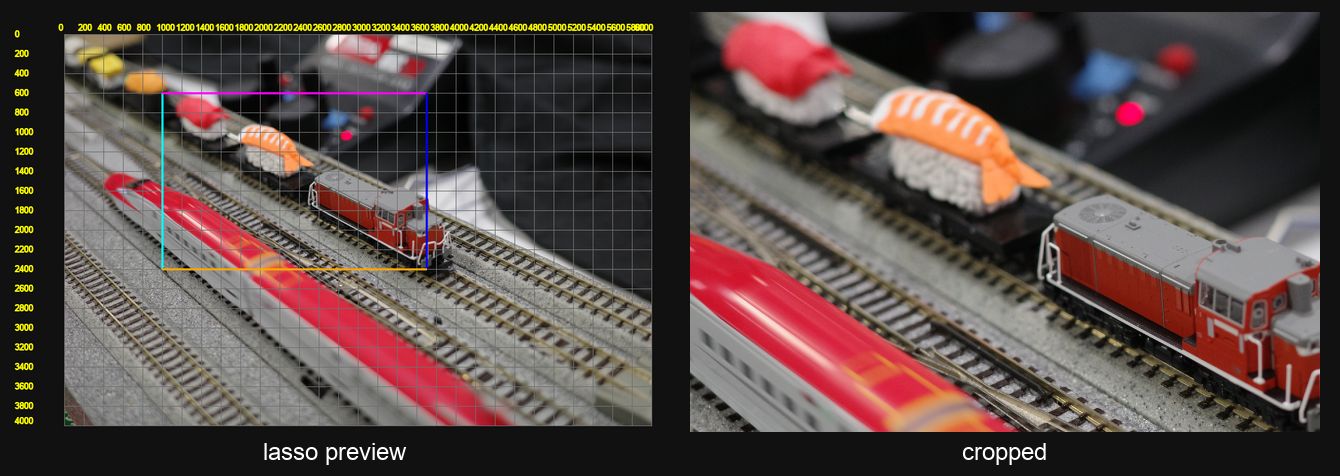
crop-image is a skill that crops an image down to the object
you name. First Bronco looked at a scaled-down version of your image, and
then it provided the dimensions of a region to crop. This
sorta worked, but the crops were not very pleasing. I dug
into Bronco's thinking and saw that it was just guessing.
So I gave Bronco a new script that generated a version of the image that included ruler lines going up-and-down and left-and-right across the image, as well as axis number lines on the top and side. This way Bronco could determine what numbers lined up with the target region visually.
Now Bronco can crop pixel-perfect with a few iterations.